How to Make a Family Story Video: Prompts and Simple Steps
Record one family memory with useful interview questions, a simple storyboard, and six steps for filming, checking details, and saving a backup.
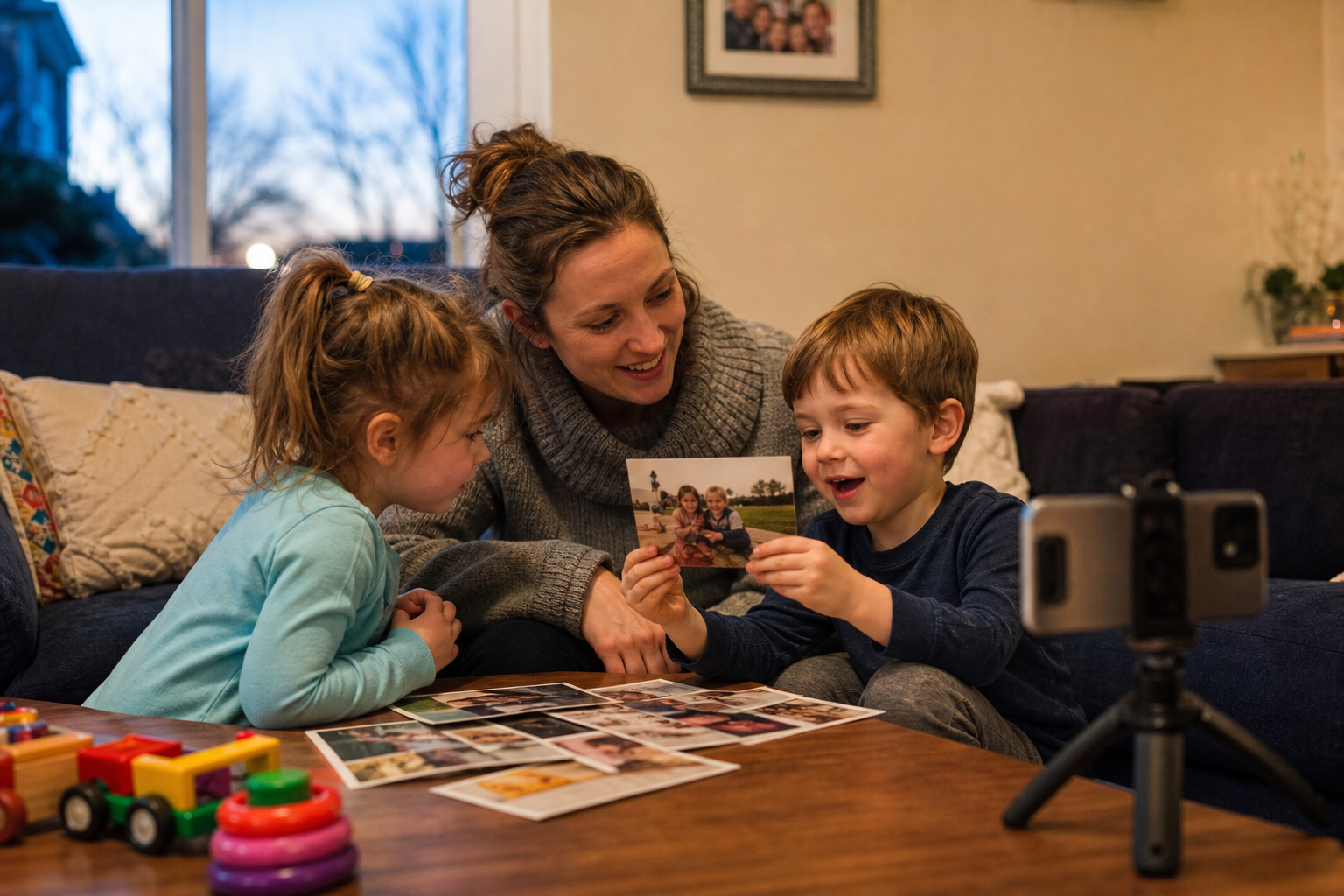
A family story video preserves one memory in a relative’s own words. Choose a small subject—a first home, a favorite recipe, or one memorable journey—then use a few photos and gentle questions to help the story unfold. The aim is a clear account that family members can watch and return to, with room for the details each person remembers differently.
A family story video follows one event or theme; a family yearbook video brings together moments from a whole year. If your photo folder spans birthdays, holidays, and school milestones, select one thread for this recording and save the rest for another project.
Ten prompts for a story worth recording
Choose two or three questions about the same topic. Ask one at a time and let the answer finish. “What happened next?” and “What do you remember seeing?” can draw out details without turning the conversation into a quiz.
- First home: What did your first home look like, and which corner felt most like yours?
- Family recipe: Who taught you to make this dish, and what did they do that the written recipe leaves out?
- Favorite trip: What is one moment from that journey you can still picture clearly?
- How relatives met: Where did you first meet, and what did you notice about each other?
- A funny small memory: What ordinary family mishap still makes you laugh?
- A childhood game: What did you play, who joined in, and what were the rules?
- A family tradition: How did this tradition begin, and what has changed about it?
- A meaningful object: Where did this object come from, and why have you kept it?
- A helpful relative: Can you describe one time someone in the family helped you through a difficult day?
- A photo with a missing story: What happened just before or after this picture was taken?
Photos are invitations to remember, not tests of memory. A child may recall a lost shoe while an adult remembers the journey’s purpose. Both details can belong in the video. Avoid pressing for an answer about a painful or private subject; let the storyteller decide what to share.
Make the video in six manageable steps
1. Pick one story and agree on its audience
Write a one-sentence focus: “Grandma explains how the Sunday soup tradition started.” Ask the storyteller whether they want to participate and who may watch the finished video. Agree that they can pause, skip a question, or ask for a section to be removed. Get a parent or guardian’s permission for a child’s participation and keep the child comfortable throughout.
2. Gather a few useful prompts and photos
Select three to five photos or objects connected to the story. Share the topic ahead of time so the person can think without needing a speech. Put unfamiliar names, places, and approximate dates in a note for later checking. Choose images you have permission to include; keep private letters or addresses out of view.
3. Set up a comfortable recording
Use a quiet room, a steady phone at eye level, and light falling onto the speaker’s face. Choose upright or sideways framing based on how the family will watch, and keep it consistent. Record a short test, play it back, and check the voice before beginning. Comfort matters more than an elaborate background.
Start with an easy question such as “Who is in this photograph?” Ask follow-ups about the action, place, or feeling. Leave pauses instead of filling every silence. For a first attempt, a ten- to fifteen-minute conversation may provide enough material for a focused three- to five-minute video; these are starting points, not targets everyone must meet. The grandparents video message guide is useful for a shorter personal recording.
4. Assemble a simple sequence
Choose a beginning that explains the story, a middle with the strongest details, and an ending that gives it meaning. Trim setup chatter and repeated answers using a video editor you are comfortable with. Keep enough context that an answer still makes sense after a question is cut. Place photos beside the relevant memory, and keep background music quiet enough to hear every word.
5. Check names, dates, and permission
Watch the draft with the storyteller before sharing. Confirm spellings and dates against available family records. If a date is uncertain, use “around 1988” or leave it out; do not turn a guess into a precise caption. When memories differ, identify them as different recollections. Ask the people shown or named about sensitive material and remove details they do not want included.
6. Test the export and keep a backup
Play the file from beginning to end on the device the family will use. Check sound, readable captions, image order, and any sharing permissions. Save the original recording, the finished video, and notes about the people pictured. Keep another copy in a separate storage location, such as an external drive or a private cloud folder, and check that you can open it.
A simple storyboard for one family story
For a story about a family camping trip, the sequence could look like this:
- Opening photo: Show the campsite picture with a checked place and approximate year. Introduce the question: “Why do we still talk about this trip?”
- One person’s memory: Let a parent explain the unexpected rain and the decision to cook dinner under a shelter.
- Second perspective: Include a child’s recollection of naming the puddles. Keep the difference in perspective without forcing the accounts to match.
- Ending: Return to a family photo while the storyteller explains what made the trip worth remembering.
If the recording is a gift, choose a viewing format the recipient already uses and include a simple way to find it again. The guide to gifts for grandparents they actually keep can help you think about the recipient’s preferences.
Frequently asked questions
Can I make a family story video without old photographs?
Yes. The interview can carry the story. You can also film a relevant object, a handwritten recipe, or a present-day location, clearly identifying it so viewers do not mistake it for an image from the original event.
What if the storyteller would rather not appear on camera?
Offer an audio recording paired with permitted photos, or record their hands while they describe an object. Ask which approach feels comfortable and let them review the result.
How can relatives who live far apart contribute?
Send the same focused question to each person and ask them to record a separate response. Request permission to combine and share the clips. Have them send the files privately, with names and photo details in an accompanying note.
Ready to create your own magical video?
Explore our personalized invitations and surprise videos made for unforgettable moments.
Shop videos